MacMute

One shortcut to mute your mic from anywhere on macOS.

A free, open-source menu bar app that gives macOS the global microphone mute hotkey it never shipped with. It mutes the audio device itself, so a single shortcut covers every app at once.

Download for macOS View on GitHub

macOS 13 or later · MIT licensed · no account, no telemetry

Install

Download the .dmg from the latest release, open it, and drag MacMute into Applications. Then clear the quarantine flag once:

xattr -cr /Applications/MacMute.app

MacMute is signed ad-hoc rather than with a paid Apple Developer ID, so macOS blocks the first launch until you do this. Rather not touch Terminal? Open MacMute, let it be blocked, then go to System Settings › Privacy & Security and click Open Anyway.

Why another mute app

Every meeting app has its own mute shortcut, and they share one limitation: they only listen while their own window is in front. Teams, Zoom and Meet all stop hearing you the moment you switch to your editor, your browser or your notes — which is exactly when you need to mute.

MacMute sits below all of them. It writes to the microphone through CoreAudio, so no app can talk over it, and it answers wherever you happen to be looking.

What it does

Works from any appPress M — or your own combination — without finding the right window first.
Mutes every microphoneNot just the system default, because apps like Teams can quietly pick a different input device.
Hold to TalkOptional. Hold the shortcut and the mic only changes while the key is down: push-to-talk when muted, push-to-mute when live.
Teams indicator syncPresses the real Mute button inside Teams, so other participants see you muted rather than merely hearing silence.
In step with every callA Teams call joins with its own mute state. MacMute matches the microphone to it as the call starts, and hands it back when the call ends — the shortcut never needs pressing twice, and no meeting leaves a mute behind.
Honest menu bar iconShows whether something is listening, whether you are live, and whether you are muted — in colour while an app is capturing, quietly in monochrome once nothing is.
Safe by constructionRestores every microphone on quit, on crash signals, and on the next launch. About 4 ms from keypress to silence.
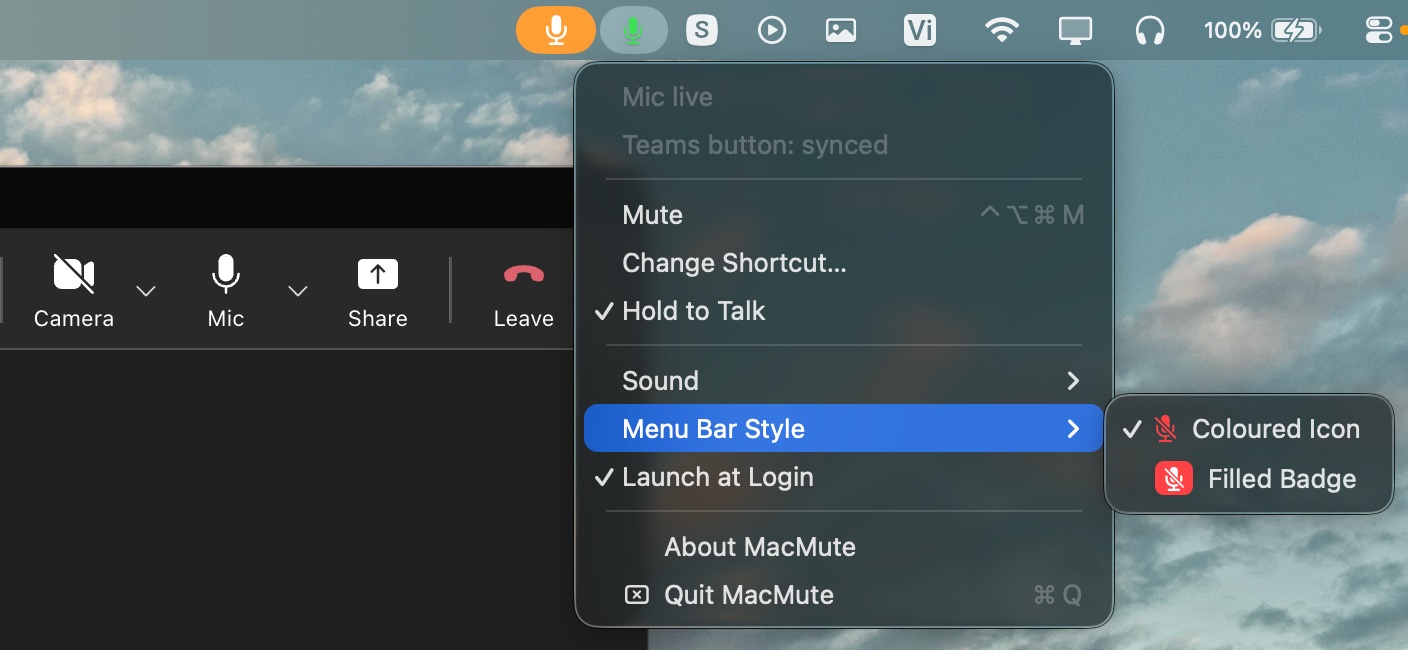
The MacMute menu open in the macOS menu bar during a Microsoft Teams call, showing microphone status and settings
The whole app: a menu bar icon that tells the truth about your microphone.

Questions

How do I mute my microphone on macOS with a keyboard shortcut?

macOS has no built-in global mute hotkey — the mute key on a Mac keyboard silences output, not your microphone. MacMute adds the missing one: press M from any app, or bind whatever combination you prefer.

Does it mute every app, or only the one in front?

Every app. MacMute writes to the audio device through CoreAudio rather than asking any particular program to be quiet, so Zoom, Google Meet, Slack, Discord, FaceTime and anything else recording at that moment all go silent together.

Microsoft Teams already has a push-to-talk shortcut. Why use this?

Teams does have one — hold Space once you enable Keyboard shortcut to unmute in Settings › Privacy. So do Zoom and Google Meet. All three share a limit: they only respond while their own window is in front. MacMute's works from wherever you actually are, and mutes the device rather than the app.

Is it free?

Yes — free, open source, MIT licensed. No account, no subscription, no analytics and no network access.

What permissions does it need?

Muting needs none at all. Accessibility is only used to press the Mute button inside Teams; deny it and everything else still works, you simply lose the in-app indicator. MacMute never asks for microphone access, because it silences the device rather than listening to it.

More answers in the README →